

Google Maps Update Allows Users to Send Businesses In-App Messages
Google Maps is an extremely helpful tool for small business owners. It makes it easier for customers to learn about local businesses, it provides businesses with a place to showcase their products and services, and it even gives people
Google Maps is an extremely helpful tool for small business owners. It makes it easier for customers to learn about local businesses, it provides businesses with a place to showcase their products and services, and it even gives people driving directions to the business. These features are helpful enough, but Google is making an update that will make it easier for Google Map users to communicate with the businesses they find online.
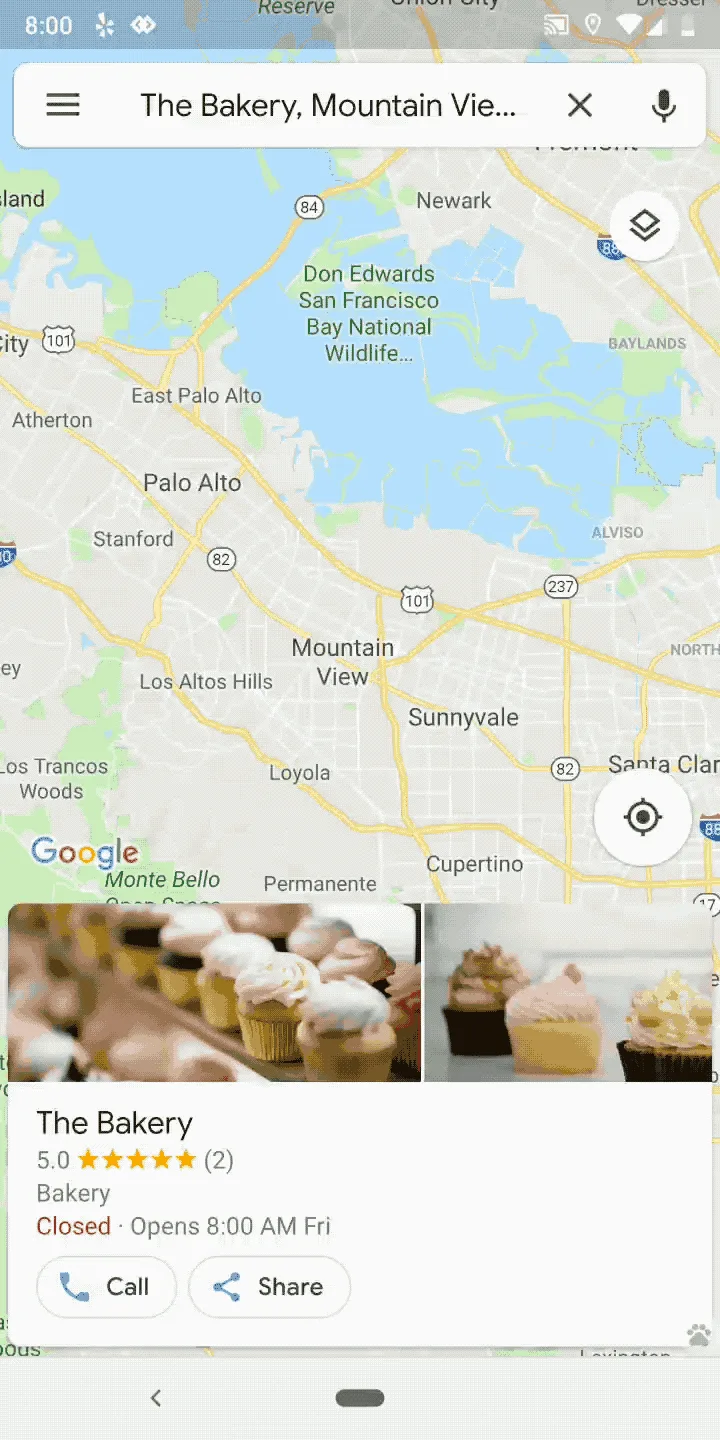
Sending messages to businesses on Google Maps isn’t entirely new, since the feature was introduced last year. However, the feature relied on solely on text messages. When someone wanted to initiate a conversation with a business, it would start an SMS conversation between the user and the business. The new update gives Google Map users the option to hold a conversation within the app itself.
Google explained the update in a blog post by saying, “Now you’ll see your messages with the businesses you connect with via Business Profiles within the Google Maps app, where you’re already looking for things to do and places to go or shop. You’ll find these messages in the side menu of both Google Maps for Android and iOS. With these messages in Maps, you’ll never have to worry about accidentally sending “I love you, Mom” to that shoe store you’ve been sending messages to.”
This may seem like a minor change, but allowing customers to communicate via Google Maps rather than text has several advantages. For example, though many (if not most) mobile providers now allow unlimited text messages, there is the possibility that customers were unwilling to use the text feature to avoid being charged for the text message by their service provider.
Similarly, Google Map users may have been wary of sending a text message to a business since that could give out their number. Nuisance text messages from spammers is a growing problem and some consumers avoid giving out their number unnecessarily to avoid their number ending up on a marketing list.
Though users will be able to start their conversation from within Google Maps, things are a little different for the business. Rather than respond via Google Maps, businesses that want to accept messages from customers will need to install the Google My Business app from Google Play or the App Store to sign up and enable messages. The new Google My Business app makes it even easier for businesses to stay in touch with their customers in real-time and on the go.
Besides expanding the ways users can send a message to businesses they find on Google Map, the update is expanding the locations that use Google My Business messaging. When the product was first rolled out last year, it was only available for certain countries. By increasing the number of countries that have access to the message feature, there is the potential for an increase in the number of messages a business receives.
It’s important to note that the feature is optional and businesses don’t have to allow Google Maps users to send them messages. There are many reasons why a business may choose to do this. For example, businesses that find themselves inundated with spam or trolling messages can turn off the feature to avoid distraction. Similarly, if a business doesn’t have the resources to reply to every message that comes from Google Maps, it’s better to turn the feature off rather than risk having potential customers think they are being ignored.
For more news about recent updates to Google, read this article on Google’s new easier-to-understand ad metrics.
Quick check
Is your site built for AI search?
Does each service have its own page with the answer up top?
Is your main answer in the first 60 words of the page?
Do your headings match how customers actually search?
Does your site load fast and stay clean on mobile?
Do your pages have schema (FAQ / Article) marking them up?
More on SEO



Built and managed thousands of WordPress, Wix, and Shopify sites, plus hundreds on Squarespace, GoDaddy, BigCommerce, Duda, and Weebly.
