

7 WooCommerce Promotions Strategies to Win and Retain Customers
Want to generate more results with your WooCommerce SEO campaign? If so, check out these promotion ideas. Learn more here!
Are you struggling to attract and retain customers on your WooCommerce store? With the rise of eCommerce, it has become more important than ever to invest in WooCommerce SEO. By optimizing your online store for search engines, you can increase your visibility and reach potential customers who are actively searching for products like yours.
But with so many competitors vying for the top spot, how do you stand out among the crown? Promotion strategies are key to winning and retaining customers. With the help of Small Business SEO’s eCommerce SEO services, you can develop effective promotions that attract new customers and keep them coming back for more.
In this guide, we will discuss the top WooCommerce promotion strategies to help you achieve success.
Offer Limited-Time Discounts Using Countdown Timers
Displaying countdown timers on product pages or banners can help create urgency among shoppers. This tactic leverages FOMO (fear of missing out) to encourage customers to buy before the deal expires, leading to higher conversions and less cart abandonment.
Impact of Countdown Timers on Customer Behavior
Countdown timers create a psychological trigger that motivates customers to make quicker decisions. They highlight the scarcity of time, which can push hesitant buyers to act immediately. This is especially useful for flash sales, seasonal promotions, or exclusive deals.
Best Locations for Countdown Timers
Place countdown timers prominently on high-traffic product pages or above the fold in banners. This ensures maximum visibility to catch the customer’s attention. Use consistent styling that aligns with your WooCommerce store’s design to maintain a professional appearance.
Pairing Timers with Clear Call-to-Actions
Combine countdown timers with strong, clear call-to-action (CTA) buttons like “Buy Now” or “Claim Your Deal.” Ensure these buttons lead directly to the checkout or product pages. This simplifies the buying process and reduces friction for the shopper.
Leveraging WooCommerce SEO for Timed Deals
Optimize your promotional content for WooCommerce SEO to attract traffic to limited-time offers. Use keywords like “limited-time discounts” or “flash sales” in meta descriptions, headings, and product descriptions. This ensures your deals get discovered by search engines and potential buyers alike.
Run Seasonal Keyword-Based Promotions
To capitalize on seasonal shopping trends, use tools like Google Trends to identify high-traffic seasonal keywords. These keywords display patterns of increased searches during specific times of the year, such as holidays or back-to-school seasons. Understanding these trends helps you predict when your target audience is most active and what they are looking for.
Once you have identified these keywords, integrate them into your marketing campaigns and product descriptions to boost visibility. Build seasonal product collections and update your WooCommerce store with titles, headings, and meta descriptions optimized for these terms. This approach enhances your WooCommerce SEO and draws more organic traffic to your store during peak periods.
Promotions based on seasonal keywords can significantly improve sales and engagement. Pair these efforts with email campaigns, social media ads, and banners on your website. Highlight the seasonal relevance of your products and create limited-time offers to increase the urgency for shoppers to make a purchase.
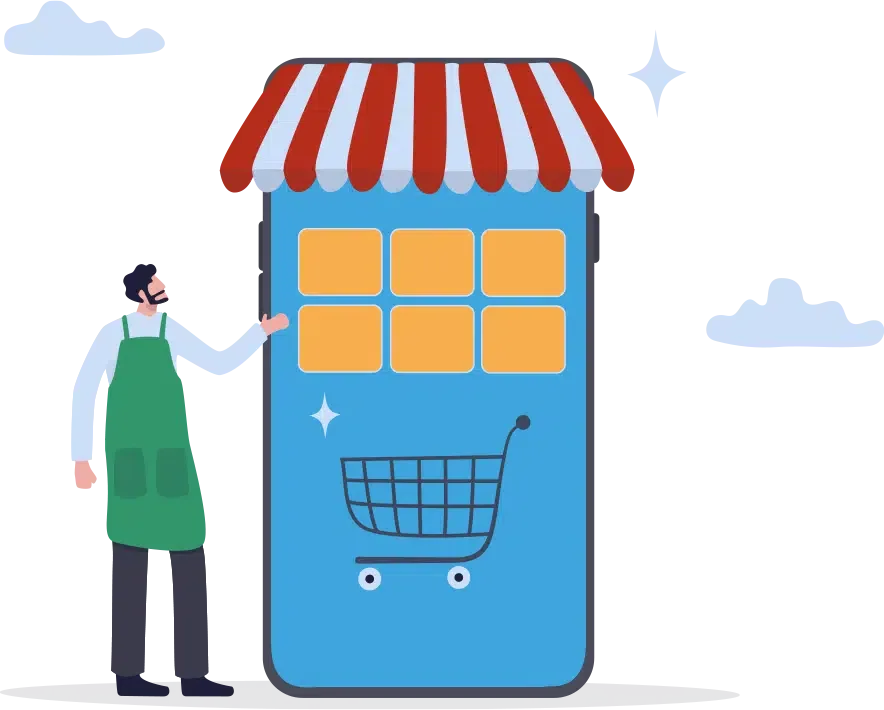
Leverage Google Shopping Ads
Google Shopping Ads can help you reach customers actively searching for products online. These ads display product images, prices, and store information directly in search results, making it easier for shoppers to find what they need. To get the most out of Google Shopping Ads, you need to optimize your WooCommerce product feeds.
Start by creating descriptive product titles that provide clear details about the item. Use specific keywords that match what customers might type into Google. For example, include details like the product type, brand, size, or color in your titles. This practice improves your product’s visibility and helps attract the right audience.
Place your items in the correct product categories in Google Merchant Center. Accurate categorization ensures your products appear in relevant searches, increasing the likelihood of clicks and sales. Combine this with targeted keywords in your product descriptions to further refine your ad targeting. By following these steps, you can create effective Google Shopping Ads and boost sales for your WooCommerce store.
Create Bundle Deals With Complementary Products
Grouping related products together and offering them at a discounted price is an effective way to increase sales. Bundles allow customers to get more value while encouraging them to purchase multiple items at once. For example, bundle a coffee maker with compatible filters or coffee pods. This strategy promotes convenience and helps customers feel they are getting a better deal.
Highlight these bundle deals prominently on product pages. Create a separate section or banner that catches the customer’s attention. Use persuasive messaging, such as “Save 20% with this bundle,” to showcase the benefits clearly. This approach can upsell effectively and increase your average order value.
Include bundled deals in your newsletters to expand their visibility. Use engaging visuals and clear calls-to-action to guide customers to your WooCommerce store. Apply WooCommerce SEO by including phrases like “discounted product bundles” in titles, descriptions, and meta tags. These efforts help ensure your bundles appear in relevant search engine results and attract the right audience.
Promote User-Generated Content on Social Media
User-generated content (UGC) is a powerful tool for building trust and credibility for your WooCommerce store. Encouraging customers to share their experiences with your products on social platforms helps create authentic content that resonates with potential buyers. Leverage UGC to promote your brand and engage your audience effectively.
Here’s how to maximize the value of user-generated content:
- Host a customer photo contest: Encourage shoppers to post photos of your products in use, tag your store, and use a branded hashtag for a chance to win a discount or free product.
- Feature UGC on your website and social pages: Showcase customer photos, reviews, or testimonials in prominent sections such as your homepage, product pages, or social media feeds.
- Offer incentives for reviews or shares: Customers who leave reviews or share their purchases online can receive discounts, loyalty points, or entry into a giveaway.
- Collaborate with micro-influencers or ambassadors: Partner with content creators or loyal customers who align with your brand values to amplify your reach.
Remember to apply WooCommerce SEO techniques by incorporating keywords like “customer reviews,” “real product experience,” and “brand testimonials” into your captions and posts. This will improve searchability and increase traffic to your site, further enhancing sales and customer engagement.

Offer Free Shipping Thresholds
Encourage customers to spend more by offering free shipping for orders above a specific amount. Highlight this offer on your WooCommerce store with banners and product page notifications. Make sure customers know exactly how much more they need to add to their cart to qualify for free shipping. This strategy increases cart values while providing a clear incentive for shoppers.
Promote your free shipping thresholds in marketing emails to reach a wider audience. Use attention-grabbing subject lines like “Free Shipping on Orders Over $50” to encourage customers to click and shop. Include a clear call-to-action button in the email that directs users to your store. Keeping the message simple and visually appealing will improve conversions.
Optimize this promotion with WooCommerce SEO by including related keywords such as “free shipping,” “minimum purchase,” and “exclusive offer” in your site’s meta descriptions and product pages. This will help attract new customers searching for deals and encourage them to complete their purchases in your store.
Launch Flash Sales on Social Media
Promote limited-time flash sales directly on platforms like Instagram and Facebook. Use engaging Stories or posts with bold visuals and time-sensitive captions to grab attention quickly. Include strong calls-to-action like “Shop Now” or “Don’t Miss Out” that link directly to your WooCommerce store for easy access. This approach helps create urgency and encourages immediate purchases.
Optimize your flash sale content with WooCommerce SEO to improve visibility and attract more shoppers. Use keywords like “exclusive deals” or “limited-time offers” in your post captions and hashtags. This will help your flash sales rank higher in search results, making it easier for potential customers to find your promotions.
Add countdown stickers or timers to your Stories to emphasize the limited-time nature of the deals. These visual elements highlight urgency and motivate users to act fast. Pair them with concise yet impactful messaging to appeal to mobile users looking for quick and convenient deals.
Our Team Can Boost Your WooCommerce SEO
At Small Business SEO, we specialize in helping WooCommerce store owners drive traffic, increase conversions, and achieve long-term success. Our team of experienced SEO professionals understands the unique challenges of eCommerce and crafts tailored strategies to meet your specific needs.
Quick check
Is your site AI-ready?
Does each service have its own page with the answer up top?
Is your main answer in the first 60 words of the page?
Do your headings match how customers actually search?
Does your site load fast and stay clean on mobile?
Do your pages have schema (FAQ / Article) marking them up?
More on SEO


Built and managed thousands of WordPress, Wix, and Shopify sites, plus hundreds on Squarespace, GoDaddy, BigCommerce, Duda, and Weebly.
